AI Collaborators
Designing AI as workforce, not feature.
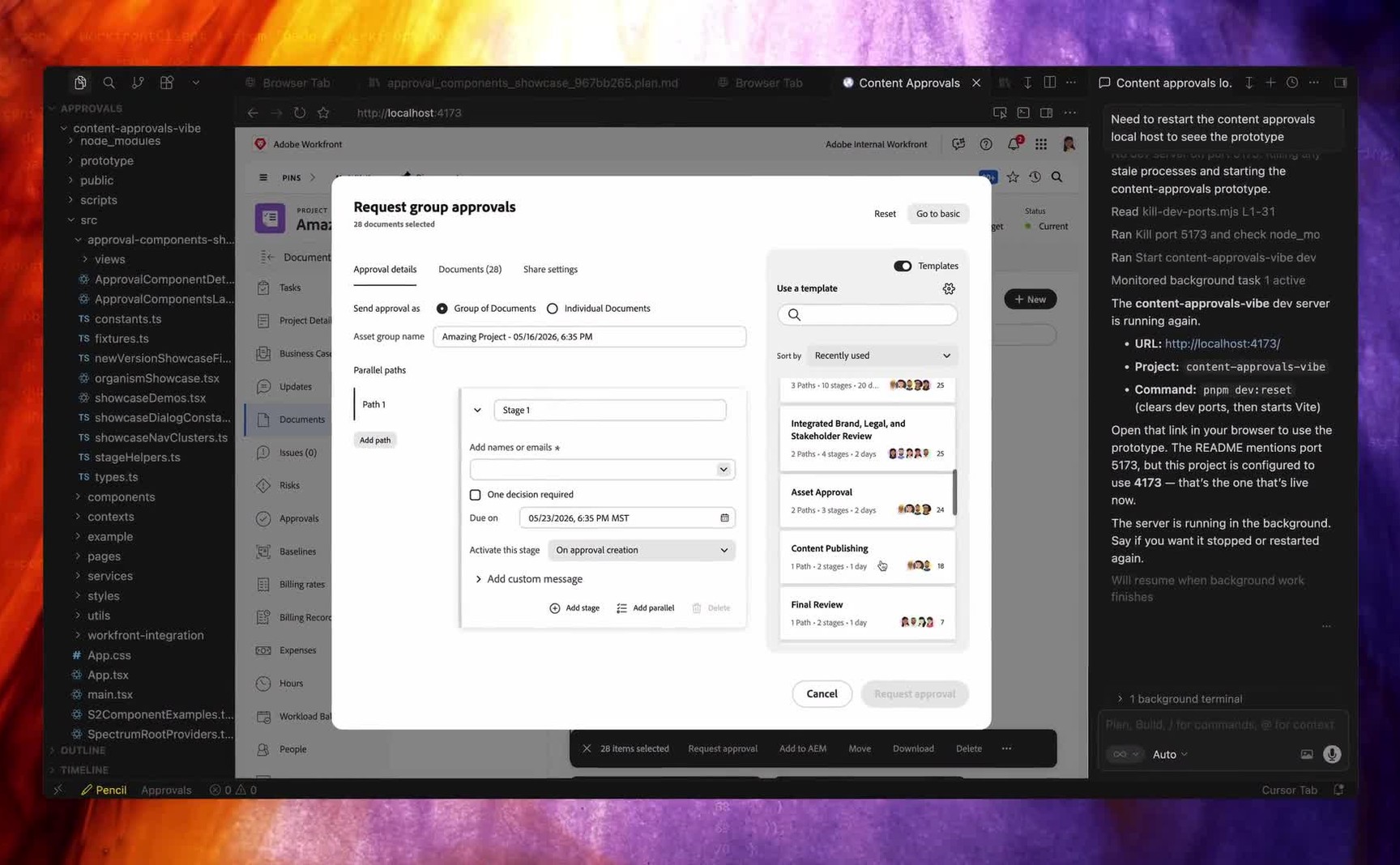
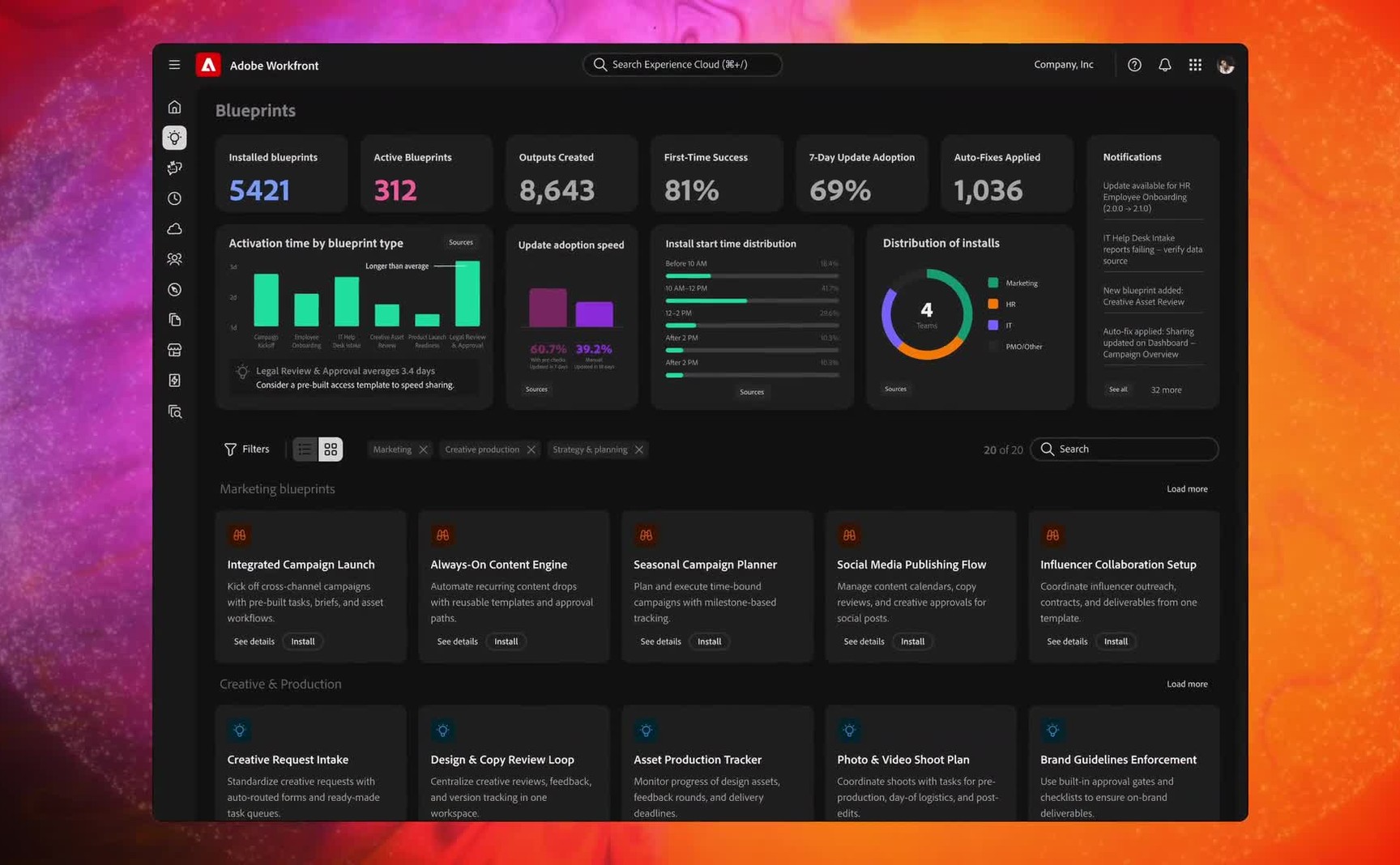
The thesis in one screen: people and agents assigned to the same plan.
At Adobe Design Innovation Week I pitched a studio for building AI agents. The studio isn't what survived. The idea under it did: an agent should be onboarded like a worker, not installed like a feature. That became AI Collaborators in Workfront, and the first one shipped at Adobe Summit 2026.
One of the designers on the program, leading the governance and setup side.
Innovation Week pitch. Summit Sneaks submission. Shipping in Workfront.
Not the agent. The identity, access, and governance layer that lets an agent participate.
Live since Adobe Summit 2026. The setup experience lands in the next release.
Two types of collaborator shipped in the MVP, and what each one is allowed to do was decided, not inherited.
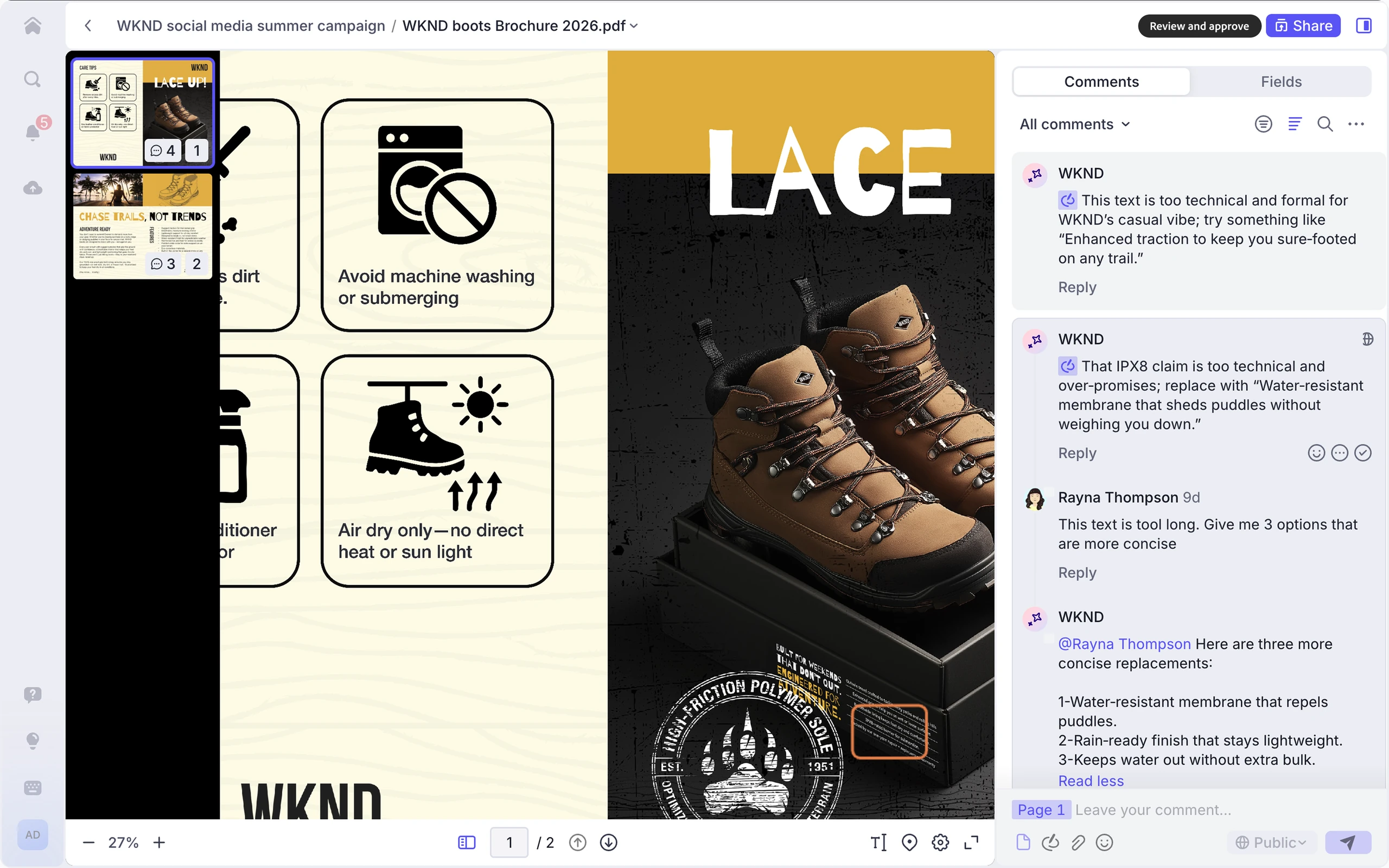
Comments on an asset, scores it against brand, and marks it reviewed. It advises. It never decides.
Posts and answers comments, uploads documents, reads and writes task fields, and marks a task complete if an admin switches that on.
Walk what shipped
That's the MVP: a small first version of a much larger vision. It's where the model starts, not where it stops, and we're still building past it.
Marking work finished is opt-in, and that opt-in carries the design position. Every collaborator ships with an explicit line between what it can do and what it may do, and that line is a design choice, not a technical limit.
Advisory by design
The first collaborator to ship reviews assets against brand guidelines, scores them, and flags what needs attention. Scores and flags, never a decision. That limit set the precedent I care most about.
Adobe made the direction public at Summit. You don't just assign a task to a person, you can assign it to an agent, invoked like a permissioned user, inside the workflows the enterprise already runs on. The demo went past Adobe's own agents: one built in Microsoft Copilot Studio, another built as a Claude managed agent, both working inside governed Workfront workflows. The product doesn't need to own every agent. It needs to own the layer where agents become accountable.
And the customer voice went where the design went. On the Summit stage, a marketing leader described her team's future this way: their first people management experience is going to be managing a team of agents. That's the workforce model, said back to us by the market.
The market wasn't asking for smarter agents. It was asking for a safer way to put agents to work.
Marketing teams were being asked to produce more content, across more channels, faster than ever. AI assistants helped individuals move faster. They didn't touch the coordination problem.
Agents lived in side panels, separate tools, one-off experiments. They produced outputs. But the outputs arrived orphaned, and the team still had to ask the questions that make enterprise work function. Who owns this? What task is it connected to? What context did the AI use? What changed? Who approved it? Can any of this be audited?
Every AI tool outside the workflow created new coordination work for the humans inside it. The problem was never a lack of AI.
It's not a button you click. It's a team member you assign work to.
Three passes, and each one threw something away.
The beat I kept coming back to was the quietest one in the Team Supercharger demo. A skeptical teammate opens the activity log, reads every action taken by humans and AI, and relaxes. Trust didn't come from the output. It came from the record.
Watch the concept get sharper
Both ideas from the first pitch are in the product now, in Adobe's own words. Collaborators are created and managed in a single governed registry. Setup asks an administrator to set clear boundaries for what a collaborator is allowed to do. The marketplace didn't survive. The registry and the code of conduct did.
The framing survived too, down to the sentence. Adobe's setup documentation tells an admin to configure a collaborator, then assign it as you would a user.
One spine, four front doors
That framing did the architectural work. A collaborator isn't the agent. It's the Workfront identity, role, and governance layer that lets any agent participate. And because collaborators are users, the system inherited what Workfront already ran for people: identity, roles, access levels, assignment, notifications, work history. No separate AI abstraction, no parallel lane. A new kind of participant in an operating model that already worked.
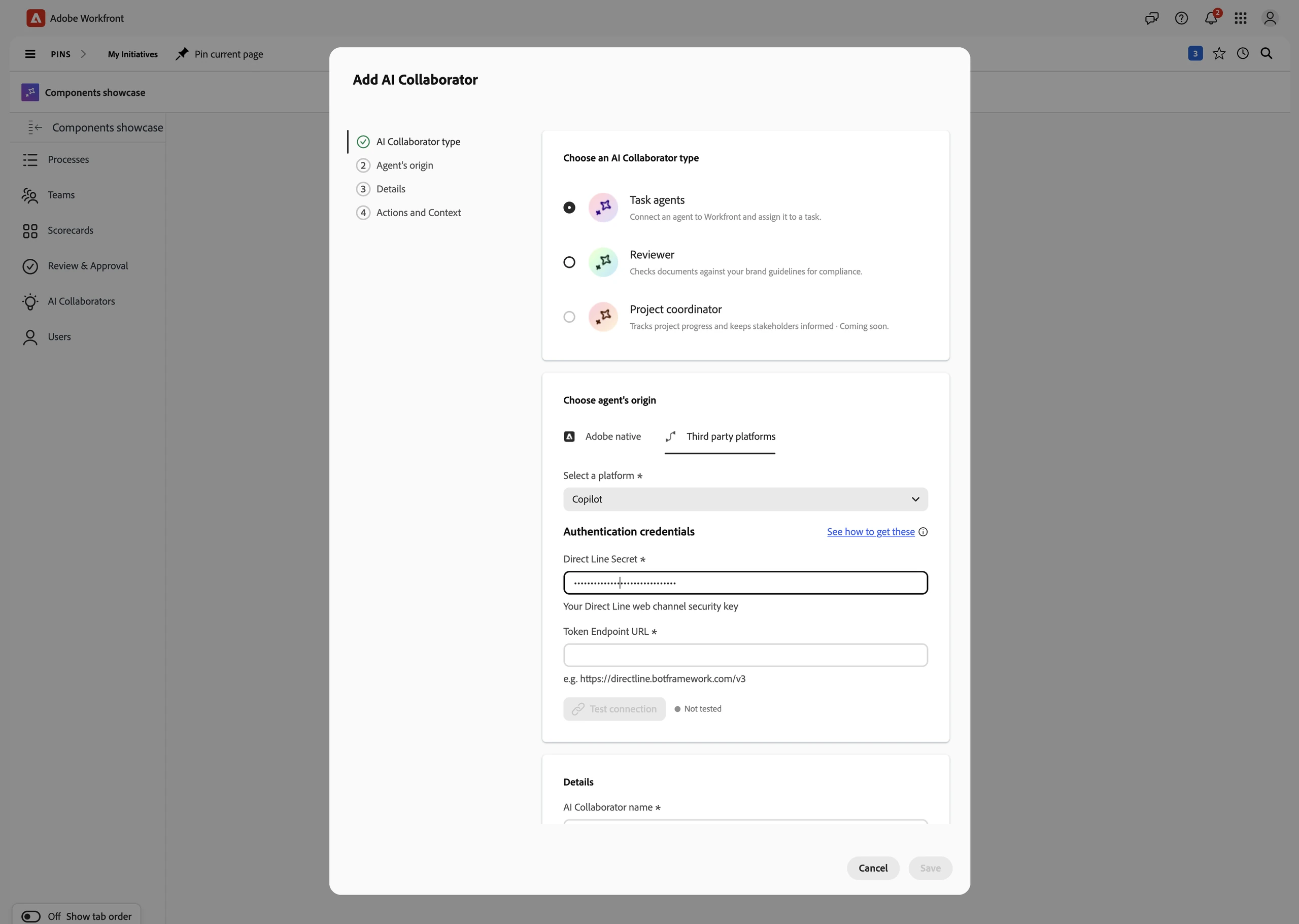
Setup is three moves: connect an agent, give it a permission level, choose which actions it can perform. Easy to describe. That was the hard part.
Collaborators arrive from four origins, built by Adobe, built by the customer, brought from another platform, or switched on out of the box, and four origins threatened four experiences. The design answer was that the origin changes the badge, and everything after the badge is the same path. Assign, work, review. One spine. Assignment inherits the templates too, so an enterprise can drop a collaborator into a standard workflow without redesigning the workflow.
A framing is cheap until someone designs the unglamorous parts. My territory on the program is where the metaphor meets the enterprise: the setup above, what a collaborator is allowed to do, and how a human can tell.
Before designing setup, I ran a research pass against a live enterprise Workfront environment: sixteen thousand users, nearly two thousand custom forms, a status vocabulary with seventy codes. The test I held the design to was the new hire. A new employee gets six things on day one. Our setup covered one. The findings were concrete. An admin could configure a collaborator that fails silently at runtime, because its access level can't do what its instructions promise. Nothing in the system marked agent activity as agent activity. Scope needed to work like a department badge, not a master key. Each finding became a design requirement.
The most useful thing to come out of it wasn't the findings. It was the audit. I listed every assumption my own specification made and ran each one against the real environment. All seven broke.
Principles before screens
A framing also has to survive a room. Aligning design, product and engineering on where this goes next took a two-day working session, and the rule I set was that we open on principles, not interfaces. Open on interfaces and it becomes a preference fight nobody wins. Open on principles and by the time screens come up, the fight is already settled.
Nobody has to win. The principles pick.
Permissions decide what a collaborator may do. They don't give it a name or a face.
I took a teammate's signature-emblem idea and grew it into an identity builder. The name gets checked against Adobe's AI naming standard. The color maps to an Experience Cloud domain, leading with the four we have real customer evidence for. The emblem is generated from the name itself, so the same name always makes the same mark. None of it is decoration.
I'm building the system out with Adobe's brand team now. Contrast is specified rather than assumed: every color clears 4.6:1, and the fill flips at the luminance crossover so the mark always reads.
What it may do, and who owns that
A collaborator is governed the way a person is: a permission level, and a record of what it did. That's the right place to start, and it's exactly as far as it goes. A permission says which actions are switched on. It doesn't say how far one action may reach before a human is required, on whose authority it was granted, or what happens to that grant when the person who issued it leaves.
The profile shows what a collaborator can do and what it's doing. Skills, context, deliverables, stats. The panel showing what it may do right now, and who owns that decision, is the one I keep arguing for.
The framework I built to answer that question.
Delegated Authority FrameworkThe whole plan, staffed both ways
This work sits in the middle of a trilogy, on purpose.
Unified Review & Approvals is the shipped governance layer for human execution: propose, route, decide, record. AI Collaborators brings agents into that same system as accountable participants. And what an agent is allowed to do right now, on whose authority, is the question my Delegated Authority Framework exists to answer.
Enterprise AI won't scale through chat alone. At some point agents have to work inside the systems where work is planned, assigned, reviewed, approved, and measured. That's a design problem most AI work never touches.
Not prompt design. Not automation design. Organizational design inside software.
The shipped approval system agents now route through.
Unified Review & ApprovalsThis page is the story. The dossier is the record.
The full dossier carries what the page compresses: the model at working depth, the onboarding research and its findings, four research efforts and their methods, the decision log with what each call cost, the open problems including the ones where my own notes contradict each other, and a precise account of what was mine versus the program's. Written for the AI you'll paste this page into. Open to everyone.
www.arnoldp.com/dossiers/ai-collaborators.md